
Privacy-by-Design: Mapping Seamless User Flows Through Complex HIPAA Data Guardrails
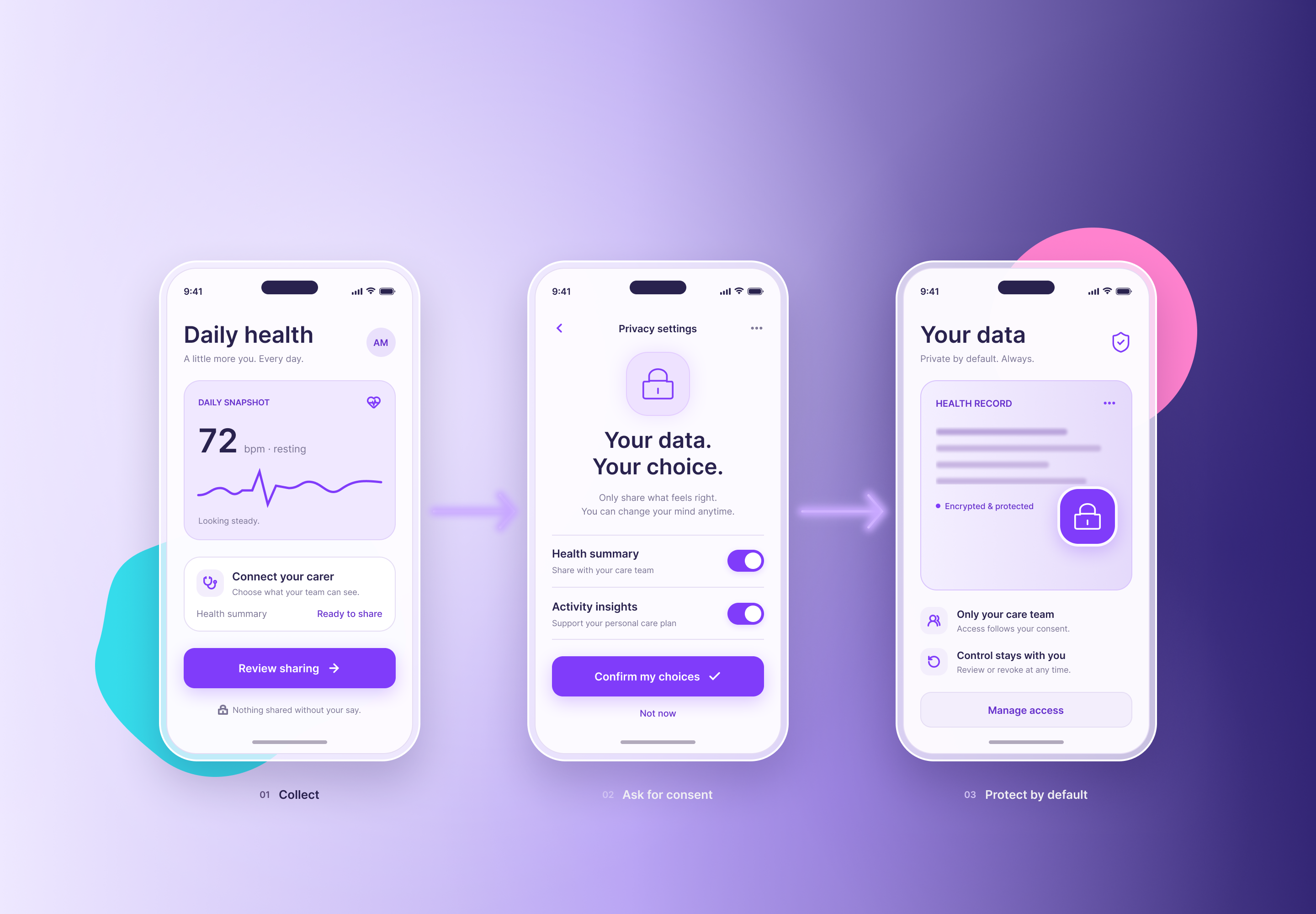
A patient who abandons your signup at the consent screen never reaches your product. A patient who clicks through without reading it hasn’t consented to anything meaningful. Both outcomes are design failures, and both carry regulatory and commercial cost.
HIPAA is often treated as a legal layer applied after the product ships. In practice, its safeguards shape every screen where protected health information (PHI) appears, moves, or is stored. The teams that handle this well do not choose between security and speed. They map the guardrails into the flow itself.
This article addresses design practice and is not legal advice. Whether and how HIPAA applies to your product depends on your status as a covered entity or business associate. Confirm with qualified counsel.
What HIPAA Actually Asks of Your Interface
The HIPAA Security Rule requires administrative, physical, and technical safeguards for electronic PHI. Several technical requirements land directly on UX:
- Access control. Unique user identification, automatic logoff, and role-appropriate access.
- Audit controls. Records of who viewed or changed what.
- Integrity. Protection against improper alteration.
- Person or entity authentication. Confirmation that users are who they claim to be.
- Transmission security. Protection of data in transit.
Encryption is formally an “addressable” specification, not a mandatory one. In practice, skipping it requires documented justification that few organizations can defend, so treat it as required.
The Privacy Rule adds the minimum necessary standard: limit PHI use and disclosure to what the task requires. It also gives patients rights to access their records and request an accounting of certain disclosures. Each of these rights needs a surface in your product.
Principle 1: Active Consent Without the Wall of Text
Be precise about terms first. Under HIPAA, treatment, payment, and healthcare operations generally do not require patient authorization. Uses beyond those, such as marketing or most sales of PHI, require a specific signed authorization. If your product also falls under state privacy laws or the FTC’s Health Breach Notification Rule, further consent obligations may apply. Know which regime governs each data use before designing the interaction.
Once you know what needs consent, make the interaction active and legible.
- Separate purposes. Do not bundle a required authorization with optional analytics or research sharing. Distinct choices need distinct controls.
- Lead with a plain-language summary. Three to five short lines stating what is collected, who sees it, and why. Link the full notice one tap away.
- Use affirmative actions. Unchecked boxes by default. Pre-ticked consent is not a choice.
- Ask at the moment of need. Request camera, location, or contact access when the feature requires it, with one sentence on the benefit.
- Make withdrawal visible. A patient should be able to find and revoke an optional permission in a settings screen without calling support.
- Confirm the result. After the patient decides, show what they chose in plain words.
A consent flow that takes thirty seconds to read and understand outperforms one that takes thirty seconds to click through, because the second type collapses under audit and erodes trust the first time something goes wrong.
Principle 2: Authentication That Protects Without Punishing
Weak authentication risks a breach. Hostile authentication drives patients to call the front desk, ask relatives for their credentials, or give up. Both undermine privacy.
Calibrate friction to risk:
- Low-risk actions, such as viewing appointment times, can rely on a remembered device and a short session.
- High-risk actions, such as viewing results, downloading records, changing contact details, or messaging a clinician, warrant step-up authentication.
- Multi-factor options should include passkeys or device biometrics, not only SMS codes, which are weaker and fail in poor coverage areas.
- Account recovery deserves as much design attention as login. Attackers target recovery paths, and locked-out patients are common.
Support password managers and allow paste. Security teams sometimes block both, which pushes patients toward weaker, reused passwords.
Principle 3: Encrypted Dashboard States Users Can See and Feel
Encryption happens in infrastructure, so users cannot see it. Design what they can see: the states that result from it.
Session timeout with warning. Automatic logoff is a HIPAA-aligned safeguard. Warn before it triggers, offer a one-tap extension, and preserve unsaved input where it is safe to do so. A silent timeout that destroys a half-finished form teaches patients to resent security.
Masked sensitive values. Display partial identifiers by default, such as the last four digits of a policy number, and reveal full values on explicit request. Log the reveal.
Locked and unlocked states. When a section needs re-authentication, show it as locked with a clear reason and a direct path to unlock, not as an empty panel that looks like missing data.
Safe notifications. Push and email previews must not carry PHI. A lock-screen message reading “You have a new message” protects more than one naming a diagnosis.
Screen privacy on shared devices. Clear data on logout, avoid caching PHI in browser storage, and blur content when the app moves to the background on mobile.
Visible access history. Let patients see recent logins and, where feasible, who accessed their record. It converts an audit-control requirement into a trust signal.
Principle 4: Security Badges That Earn Their Space
Badges can build confidence or insult users. Treat them as evidence, not decoration.
- Display only what is true and current. A claim of “HIPAA compliant” is a legal assertion, and no official HIPAA certification exists. Safer language describes specifics: “Data encrypted in transit and at rest” or “Independently audited under SOC 2 Type II,” if that is your actual status.
- Place badges at decision points. Put them beside the form asking for sensitive data or the consent request, not buried in a footer.
- Link to proof. Each badge should open a plain explanation or a trust page with audit scope and date.
- Avoid badge clutter. Five seals of unknown origin read as anxiety. Choose the two or three that matter to your buyers.
- Pair with microcopy. A single line such as “Only your care team can see this message” often does more than a logo.
Trust also comes from behavior. A badge on a product that times out unpredictably or emails PHI previews contradicts itself.
Principle 5: Minimum Necessary as a Layout Rule
Apply the minimum necessary standard to screens, not just databases.
- Show each role only the fields its task requires. A scheduler does not need a diagnosis list.
- Use progressive disclosure for sensitive detail. Summaries first, full records on demand, each reveal logged.
- Collect only what a decision depends on. Every extra intake field increases breach exposure and abandonment.
- Avoid placing PHI in URLs, page titles, analytics events, or error messages. These leak into logs and third-party tools, a recurring source of enforcement actions involving tracking technologies.
Audit your third-party scripts. Analytics, session replay, chat widgets, and ad pixels on authenticated pages can transmit PHI to vendors who have no business associate agreement with you.
Mapping the Flow: A Working Method
- Diagram each journey, including registration, login, intake, results, messaging, billing, and data export.
- Mark every PHI touchpoint: where it is displayed, entered, stored, or transmitted.
- Attach the control to each touchpoint: authentication level, logging, encryption, and masking.
- Estimate the friction cost of each control in steps and seconds.
- Reduce friction without removing the control. Use remembered devices, biometrics, prefill, and clear microcopy.
- Test with patients and with staff, including those with disabilities and low digital literacy.
- Review with privacy counsel and security engineers before release, and again after major changes.
Measure Trust and Speed Together
Track both sides of the tradeoff:
- Consent screen completion rate and time spent on it.
- Authentication success rate on first attempt, and recovery volume.
- Support tickets tied to lockouts and timeouts.
- Optional-permission opt-in and withdrawal rates, read as design feedback.
- Drop-off at step-up prompts, by action type.
- Time to complete core tasks before and after each security change.
A rise in lockout tickets after a security update is a design defect, not a user problem.
Run the Walkthrough
Choose one journey this week, from signup to viewing a result. Mark each PHI touchpoint and the control protecting it. Count the steps and note where a patient would stall or give up. Check what your notifications reveal on a locked phone.
Where a control costs the patient effort without protecting anything, redesign it. Where PHI sits unprotected for the sake of speed, fix that first.