
The 2026 Accessibility Audit Checklist: Transitioning Health Platforms to WCAG 2.2 Standards
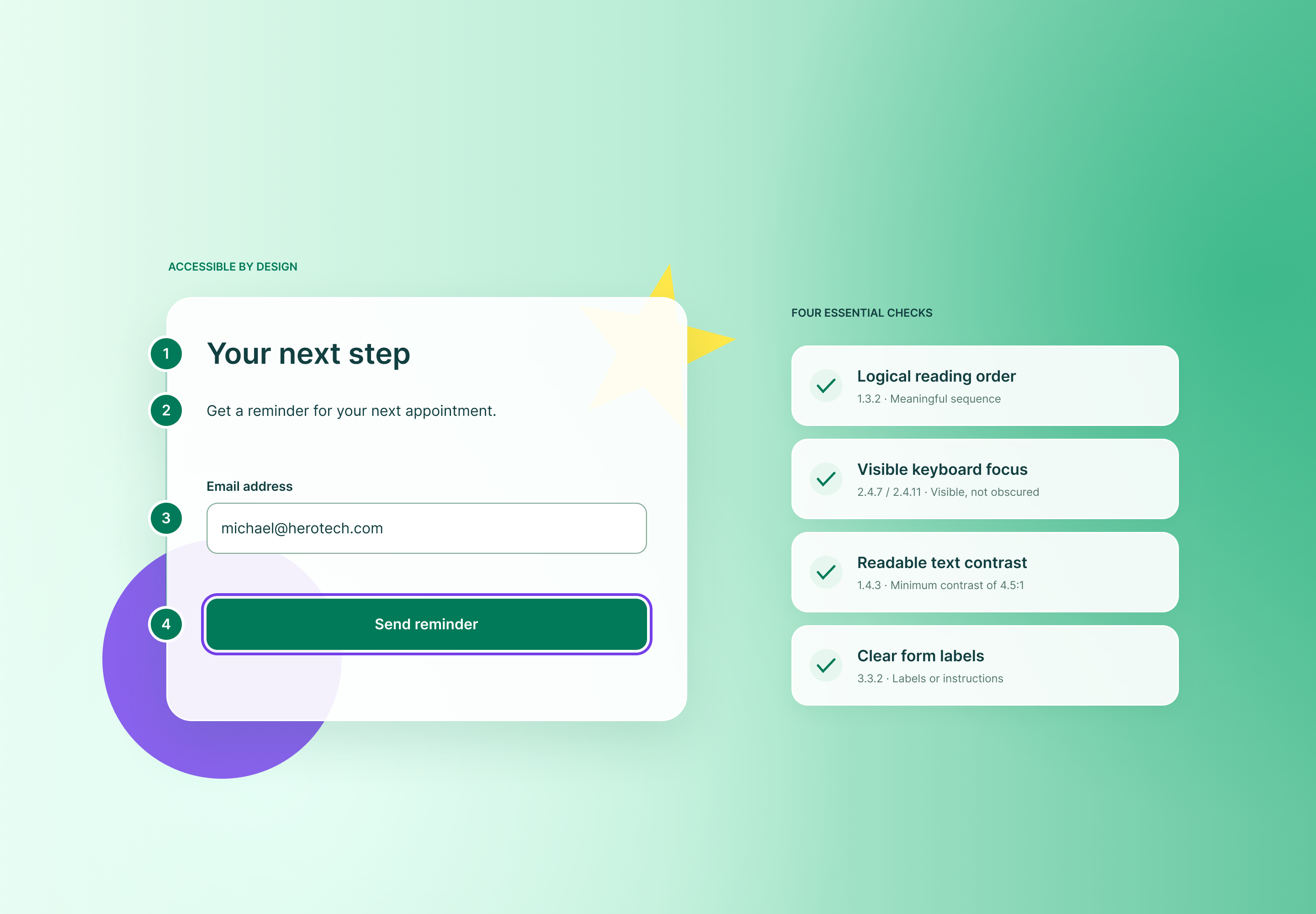
A patient who cannot read your lab results portal cannot read their lab results. It does not matter that the data is accurate.
Health platforms carry a higher accessibility burden than most software, because the user is disproportionately likely to have a low-vision condition, a motor impairment, a cognitive disability, or a temporary limitation from the illness itself. Your login page is a clinical access point. This checklist walks through the move to WCAG 2.2, in the order an audit should run.
Compliance obligations vary by jurisdiction and contract. Confirm which standard applies to you with qualified counsel.
What Changed in WCAG 2.2
WCAG 2.2 became a W3C Recommendation in October 2023. It builds on 2.1 and adds nine success criteria, six of them at Level A or AA, the levels most regulations and procurement documents reference. It also retires 4.1.1 Parsing, which modern browsers and assistive technologies made obsolete.
The practical point: a product that conforms to 2.2 also conforms to 2.1. Auditing against 2.2 does not strand you if a contract or regulator still cites the earlier version. Note that some legal regimes still reference 2.1, so check the version your buyers name.
The new Level A and AA criteria that matter most for health platforms:
- 2.4.11 Focus Not Obscured (Minimum). A focused element cannot be fully hidden behind sticky headers, cookie banners, or chat widgets.
- 2.5.7 Dragging Movements. Anything operable by dragging needs a single-pointer alternative.
- 2.5.8 Target Size (Minimum). Pointer targets must measure at least 24 by 24 CSS pixels, with limited exceptions for spacing.
- 3.2.6 Consistent Help. Help mechanisms must appear in the same relative place across pages.
- 3.3.7 Redundant Entry. Do not make users re-enter information they already provided in the same process.
- 3.3.8 Accessible Authentication (Minimum). Login cannot depend on a cognitive function test, such as remembering a password or transcribing characters, unless an alternative exists.
Audit Area 1: Color Contrast and Visual Design
Start here. It is the fastest area to test and the most common to fail.
Text contrast (1.4.3). Body text needs a ratio of at least 4.5:1 against its background. Large text, defined as 18 point or 14 point bold and above, needs 3:1.
Non-text contrast (1.4.11). Input borders, icons that carry meaning, chart lines, and focus indicators need at least 3:1 against adjacent colors. A pale gray text field outline on a white page fails, and patients with low vision cannot find the field.
Use of color (1.4.1). Never let color alone signal state. A medication marked “overdue” only in red is invisible to a patient with color vision deficiency. Add an icon and a text label.
Check these specifics:
- Disabled-looking but active buttons, a frequent trap in appointment flows.
- Placeholder text used as a label. It usually fails contrast and disappears on input.
- Status colors in dashboards and glucose or blood pressure charts.
- Text over images and gradient hero banners.
- Dark mode, tested separately. A passing light theme says nothing about the dark one.
Reflow and resize. Content must reflow at 320 CSS pixels wide without two-dimensional scrolling (1.4.10), and text must scale to 200 percent without loss (1.4.4). Test with browser zoom at 400 percent. Patients on phones with enlarged system fonts hit this daily.
Audit Area 2: Keyboard Operation and Focus
Many patients with tremor, paralysis, or fatigue never touch a mouse. Unplug it and complete your core tasks.
- Every interactive element must be reachable and operable by keyboard, with a logical tab order.
- Focus must always be visible (2.4.7). Removing the outline for aesthetics is a failure, not a style.
- Run the 2.4.11 test. Tab through a long form with your sticky header and consent banner active. If focus ever vanishes behind them, you fail.
- Provide a visible skip link to main content.
- Eliminate keyboard traps in modals, date pickers, and embedded video or telehealth widgets.
- Replace drag-only interactions, such as sliders for pain scales or drag-to-reorder medication lists, with buttons or typed input (2.5.7).
Target size (2.5.8). Audit icon buttons, close controls, and inline links in dense tables. Twenty-four pixels is a floor, not a goal. Patients with tremor or reduced dexterity benefit from larger targets, so treat 44 pixels as a better design default.
Audit Area 3: Screen-Reader Optimization
Test with at least two combinations, such as NVDA with Firefox or Chrome on Windows, and VoiceOver with Safari on iOS. Automated scanners catch only a portion of issues, so treat them as a first pass.
Structure. Use one logical heading hierarchy per page, landmark regions for navigation, main content, and forms, and native HTML elements before ARIA. A <button> outperforms a <div role="button"> every time.
Forms. This is where health platforms break most often.
- Every field needs a programmatically associated label (1.3.1, 3.3.2).
- Mark required fields in the label text, not only with an asterisk or color.
- Announce errors in text, tie them to their field, and move focus to the first error on submission (3.3.1, 3.3.3).
- Support autofill with correct autocomplete attributes for name, date of birth, and address (1.3.5).
Dynamic content. Use live regions to announce status messages such as “Appointment booked” without stealing focus (4.1.3). Manage focus deliberately when opening and closing dialogs, and return it to the triggering control.
Data visualization. A vitals chart needs a text alternative that states the finding, such as “Blood pressure trended down over four weeks,” plus a data table for those who want values. An unlabeled canvas tells a screen-reader user nothing.
Test the real content. Read your medication instructions and test results aloud with a screen reader. Abbreviations like “mg/dL” and “QD” often sound wrong or meaningless. Expand them or mark them up.
Audit Area 4: Inclusive Patterns for Independent Use
Technical conformance does not guarantee independent use. These patterns close the gap.
Accessible authentication (3.3.8). Allow paste into password fields, support password managers, and offer a non-memory option such as email magic links, passkeys, or device biometrics. A CAPTCHA that asks users to identify distorted characters or images fails unless an alternative is available. Never lock a patient out of their own records with a puzzle.
Redundant entry (3.3.7). Prefill known data across multi-step intake. A patient with a cognitive impairment, or one in pain, should not retype their address on page four.
Consistent help (3.2.6). Place the contact link, phone number, or chat in the same spot on every page. Patients in difficulty should never hunt for support.
Timeouts (2.2.1). Warn before a session expires and allow extension. Patients with motor or cognitive disabilities take longer to complete forms, and a silent timeout deletes their work.
Plain language. Write to a reading level that matches your audience, and explain clinical terms at the point they appear. Cognitive accessibility is a clinical-safety issue when instructions govern dosing.
Media. Captions and transcripts for all video, audio description where visuals carry information, and no autoplay audio.
Assistive technology respect. Honor system settings for reduced motion, large text, and high contrast.
Running the Audit
Sequence it so findings turn into fixes.
- Inventory the critical journeys: registration, login, scheduling, results, messaging, billing, medication refill, telehealth.
- Scan with automated tools to clear the obvious defects.
- Test manually with keyboard only, screen readers, zoom, and forced-colors modes.
- Involve disabled users in moderated sessions. They find issues no checklist predicts.
- Triage by task severity. A blocked login outranks a mislabeled icon.
- Document conformance claims and known gaps in an accessibility conformance report, and publish a working feedback channel.
- Embed checks in design review and CI so regressions do not return with the next release.
Audit Before Someone Else Does
Pick one patient journey this week, most likely login through to viewing a result. Complete it with only a keyboard, then with a screen reader, then at 400 percent zoom. Note where you stall.
Each stall is a patient locked out of their own care. Fix those first.